Tasks & functions — synthesizable vs testbench-only
Verilog has subroutines: functions return a value in zero simulated time; tasks can consume time and drive signals. Only a narrow slice is synthesis-safe — the rest belongs in your testbench.
RTL modules: synthesizable functions for pure combinational math. Testbench modules: tasks with delays, prints, and stimulus.
Function vs task — side by side
| Feature | function | task |
|---|---|---|
| Returns value | Yes — mandatory | No (uses output/inout args) |
| Timing control (#, @, wait) | Forbidden | Allowed |
| Can call tasks | No | Yes |
| Non-blocking assigns in body | Not in synthesizable style | TB style only |
| Synthesis | Combo logic if rules followed | Generally TB-only |
| Automatic (reentrant) | automatic function | automatic task |
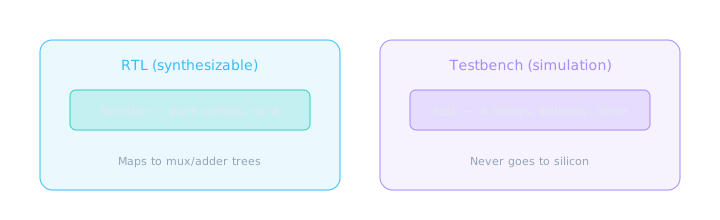
Draw a hard line between RTL helpers and TB procedures.
Function syntax — synthesizable combo
A function executes in zero time and must return within the same time step. Synthesis inlines it as combinational logic.
module parity_gen (
  input  wire [7:0] data,
  output wire       parity_odd
);
  // Synthesizable function — no delays, no sequential assigns
  function automatic parity8;
    input [7:0] d;
    begin
      parity8 = ^d;  // reduction XOR
    end
  endfunction

  assign parity_odd = parity8(data);
endmodule
A synthesizable function is like a C macro that expands inline — the tool builds the gates for the expression every time you call it.
Rules for synthesizable functions
- No
#,@, orwaitinside the function - No non-blocking assignments to globals
- All inputs are passed as arguments — no implicit nets
- Return width declared:
function [7:0] my_fn; - Prefer
automaticto avoid static storage surprises on re-entry
Calling a function from sequential always is fine — but the function itself must still be combinational. Don't put @(posedge clk) inside a function and expect synthesis to succeed.
function automatic [7:0] clamp_u8;
  input [7:0] val;
  input [7:0] max_val;
  begin
    clamp_u8 = (val > max_val) ? max_val : val;
  end
endfunction

// Usage in RTL:
wire [7:0] limited = clamp_u8(raw_adc, 8'd200);
Task syntax — testbench procedures
Tasks are your structured stimulus builders. They can wait, print, and assign to reg arguments passed by reference.
module tb_uart;
  reg clk = 0;
  always #5 clk = ~clk;  // 100 MHz — TB only!

  reg [7:0] tx_byte;
  reg       tx_valid;

  initial begin
    rst_n = 0;
  #20 rst_n = 1;
    send_byte(8'hA5);   // call task
    #100 $finish;
  end

  task automatic send_byte(input [7:0] b);
    begin
      @(posedge clk);
      tx_byte   = b;
      tx_valid  = 1'b1;
      @(posedge clk);
      tx_valid  = 1'b0;
      $display("[%0t] sent 0x%02h", $time, b);
    end
  endtask
endmodule
Never in RTL: #20, $display, and $finish are simulation-only system tasks. If they appear in a module you intend to synthesize, the tool will error or silently drop them.
automatic — why it matters
Without automatic, tasks and functions use static storage — recursive or overlapping calls stomp each other's locals. Testbenches that fork threads almost always need automatic.
| Keyword | Storage | Risk |
|---|---|---|
| (default static) | One shared copy of locals | Re-entrant calls corrupt state |
automatic | Stack-like per invocation | Safe for nested / parallel TB calls |
What NOT to synthesize
| Construct | Where it belongs | Synthesis result |
|---|---|---|
#delay | Testbench only | Ignored or error |
initial with delays | TB / sim models | Not hardware |
$display, $monitor | TB debug | Stripped |
| Tasks with timing | TB stimulus | Not supported |
force / release | Debug TB | Not hardware |
=== / !== | TB X/Z checks | Not for RTL equality |
Dumping a big initial block with # delays into your DUT module "because it works in sim" is how tape-out surprises happen. Split: dut.v (synth) + dut_tb.v (sim).
Side-by-side — same math, different homes
// ===== dut.v — SYNTHESIZABLE =====
module dut (
  input  wire [3:0] a, b,
  output wire [4:0] sum
);
  function automatic [4:0] add4;
    input [3:0] x, y;
    begin add4 = x + y; end
  endfunction
  assign sum = add4(a, b);
endmodule

// ===== dut_tb.v — SIMULATION ONLY =====
module dut_tb;
  reg [3:0] a, b;
  wire [4:0] sum;
  dut u_dut (.a(a), .b(b), .sum(sum));

  task automatic drive_pair(input [3:0] x, y);
    begin
      a = x; b = y;
      #1 if (sum !== (x+y)) $error("mismatch");
    end
  endtask
  initial begin drive_pair(4'd3, 4'd5); #10 $finish; end
endmodule
Modern note — SystemVerilog functions
SystemVerilog adds richer function forms (return, void functions, DPI). The same split applies: if it has timing or side effects, it's TB territory. Pure functions in packages are excellent for shared math across RTL files.
"Can you put a task in synthesizable RTL?" — Answer: tasks with delays and procedural drive are TB-only; only restricted functions map to combo logic. Mention automatic for reentrancy.
🎯 What to remember
- Functions return values; tasks are procedural — usually TB-only.
- Synthesizable functions: zero time, no #, pure combinational.
- Tasks shine for stimulus: clocks, handshakes, self-checking.
- Use
automaticin anything re-entrant. - Keep DUT and TB in separate files — synthesis boundary is real.